Embedded SIM (eSIM) technology is becoming mainstream in 2025, but many users still aren’t sure whether their own phone supports it. In fact, recent surveys found 42% of consumers couldn’t say if their phone has an eSIM installed.
This confusion is understandable eSIM adoption has surged with newer devices (some flagship phones now ship without any physical SIM tray), yet the feature is not universal across all models and regions. How do you check if your phone is eSIM compatible? This guide will walk you through five easy checks. Each method will help you confirm if your device is eSIM-ready, so you can take advantage of eSIM’s convenience for dual SIM usage, easy carrier switching, and travel data plans.(https://apps.apple.com/us/app/macos-catalina/id1466841314?mt=12)
Modern smartphones from Apple, Google, Samsung, and others increasingly include eSIM functionality as a standard. Apple’s U.S. iPhone models since 2022 famously went eSIM-only (no physical SIM slot), and Google’s Pixel 10 followed suit by ditching the SIM card slot entirely.
These industry shifts make it more important than ever to verify your phone’s compatibility. Below, we outline five simple ways to check if your phone supports eSIM, covering both software and hardware indicators. (After the first paragraph of each section, we’ll include a quick social search placeholder so you can see real 2025 user discussions on the topic.)
1. Check Settings to See if Your Phone is eSIM Compatible
What it is:
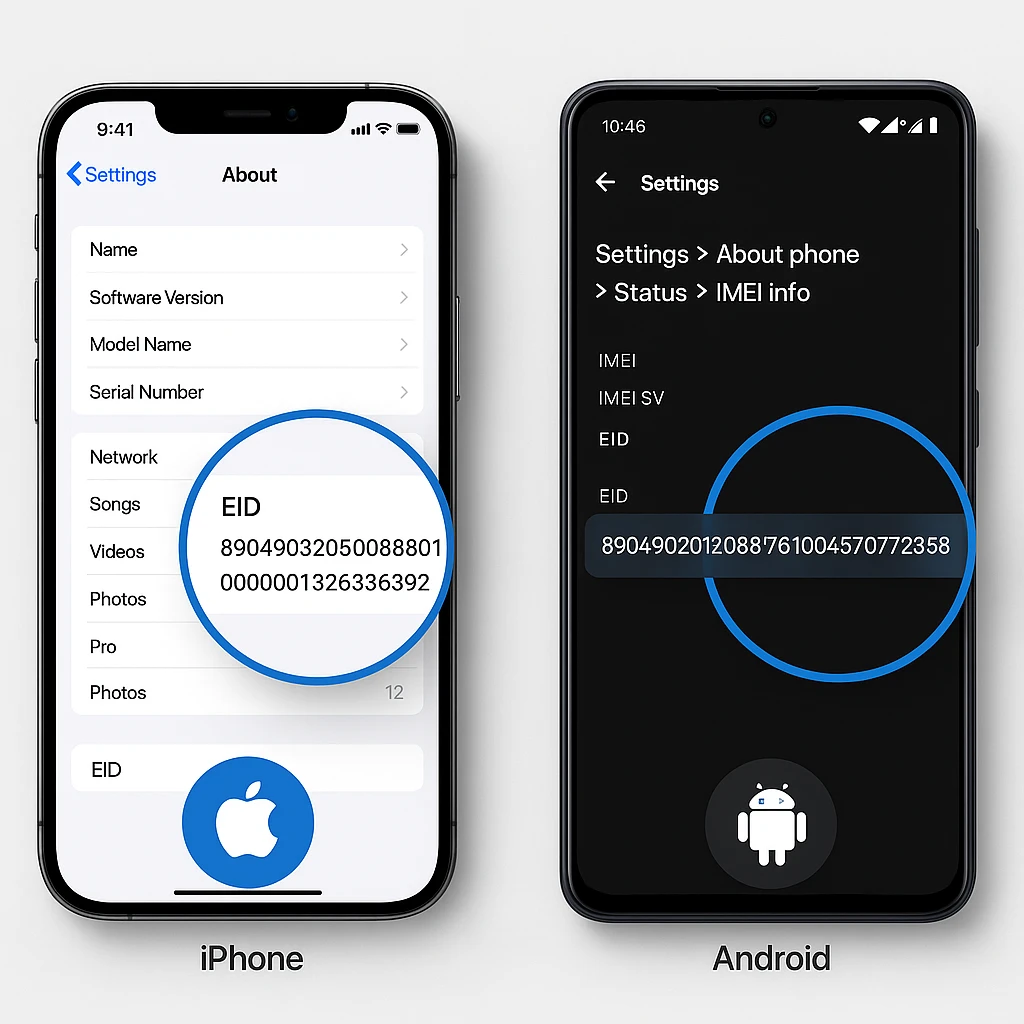
The quickest way to know if your phone supports eSIM is by checking the device settings for any eSIM-related information. Both iPhones and Android phones list details about SIM cards and eSIM in the About or Status section of Settings.
On an iPhone,
navigate to Settings > General > About – if you scroll down, you’ll find an “EID” number (Embedded Identity Document) listed. An EID is a unique identifier for the eSIM chip; if an EID is present, your iPhone is eSIM-ready.
On an Android device,
To check if my phone is eSIM compatible, the fastest method is digging into the settings.
go to Settings > About Phone > Status > IMEI information here, look for an entry labeled EID alongside IMEI. If your Android phone shows an EID, that means it has eSIM capability. In addition, many newer phones’ settings will have a menu for “SIM cards & mobile networks” or “SIM Manager”, where an option to “Add eSIM” or “Add mobile plan” appears if the device is compatible.
An iPhone’s About screen showing an EID field, indicating the phone is eSIM compatible. Newer iPhones list an EID in settings when eSIM is supported, and similarly, many Android models will display an EID under device status.
Why it matters (2025 context):
This settings check is simple and works offline, without needing any external tools. It leverages information built into your phone’s OS. As eSIM becomes common, manufacturers ensure that if a device has the feature, it’s clearly indicated in software. By 2025, even mid-range phones often have an eSIM indicator in settings, reflecting how widespread the tech is.
Checking settings is also device-specific: it accounts for your exact model and OS version. For example, Samsung phones with One UI might show an “eSIM” section under Connections, while Google Pixel phones list eSIM info under Network settings.
Because firmware updates can sometimes enable eSIM features (if hardware exists but wasn’t initially activated), it’s worth re-checking settings after major updates. This method is typically the first and most reliable step – if your phone displays an EID or “Add eSIM” option, you have immediate confirmation that the hardware exists to support eSIM.
2. Dial *#06# to Check for an EID Number
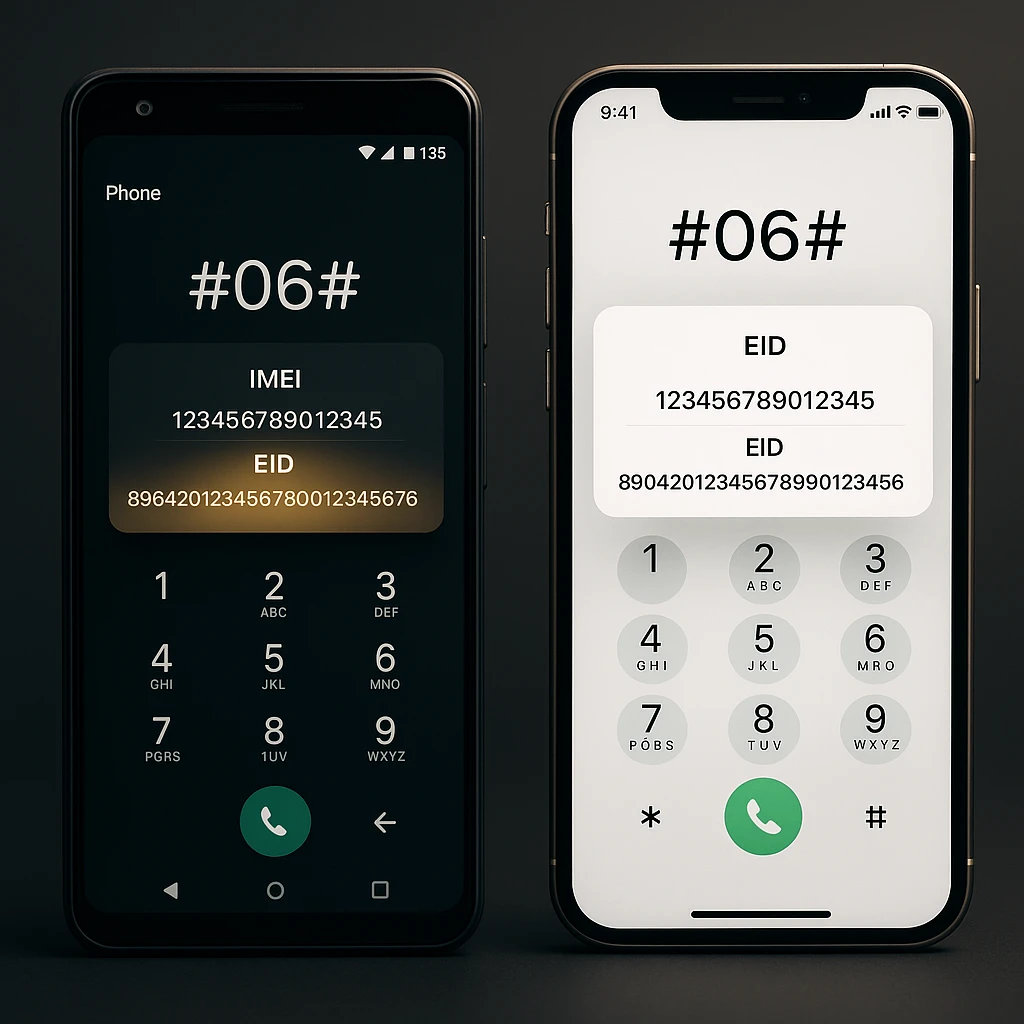
What it is: The code *#06# is a universal dialer command that brings up your phone’s device identification numbers. When you open your phone app and dial *#06#, your device will display IMEI numbers (for physical SIM slots) and, importantly, an EID if the phone supports eSIM. This works on most smartphones regardless of carrier. If your phone is eSIM-compatible, dialing this code will typically show an EID alongside the IMEI on the screen.
On the other hand, if your device does not have eSIM, you may only see the IMEI(s) for physical SIM(s) and no EID listed. For instance, a user with a dual-SIM phone (physical SIM + eSIM) might see two IMEIs and one EID; a user with a single physical SIM phone will just see one IMEI. This quick dial code acts as a built-in compatibility test across both Android and iOS.
Why it matters: Using the *#06# code is a platform-agnostic trick and doesn’t require navigating settings menus. It’s especially useful if you want a fast check or if you’re on a second-hand phone where you want to verify eSIM support before purchase. In 2025, as more people buy used or older model phones, this dial code can quickly reveal if the device is future-proof with eSIM.
Also, carriers and support reps often advise this method as a first step; it’s a universal approach. One caveat: some devices might not label the EID clearly on the dialer output (for example, it could just show a long number without the “EID” tag). Nonetheless, any 32-digit number that appears (longer than an IMEI) is likely the EID.
The presence of that number confirms eSIM capability. Using this method in combination with Step 1 (Settings) ensures you don’t miss the information if either shows an EID, you have your answer. And if neither reveals an EID, it’s safe to conclude your phone lacks eSIM hardware.
3. Confirm eSIM Support with Your Carrier or Plan
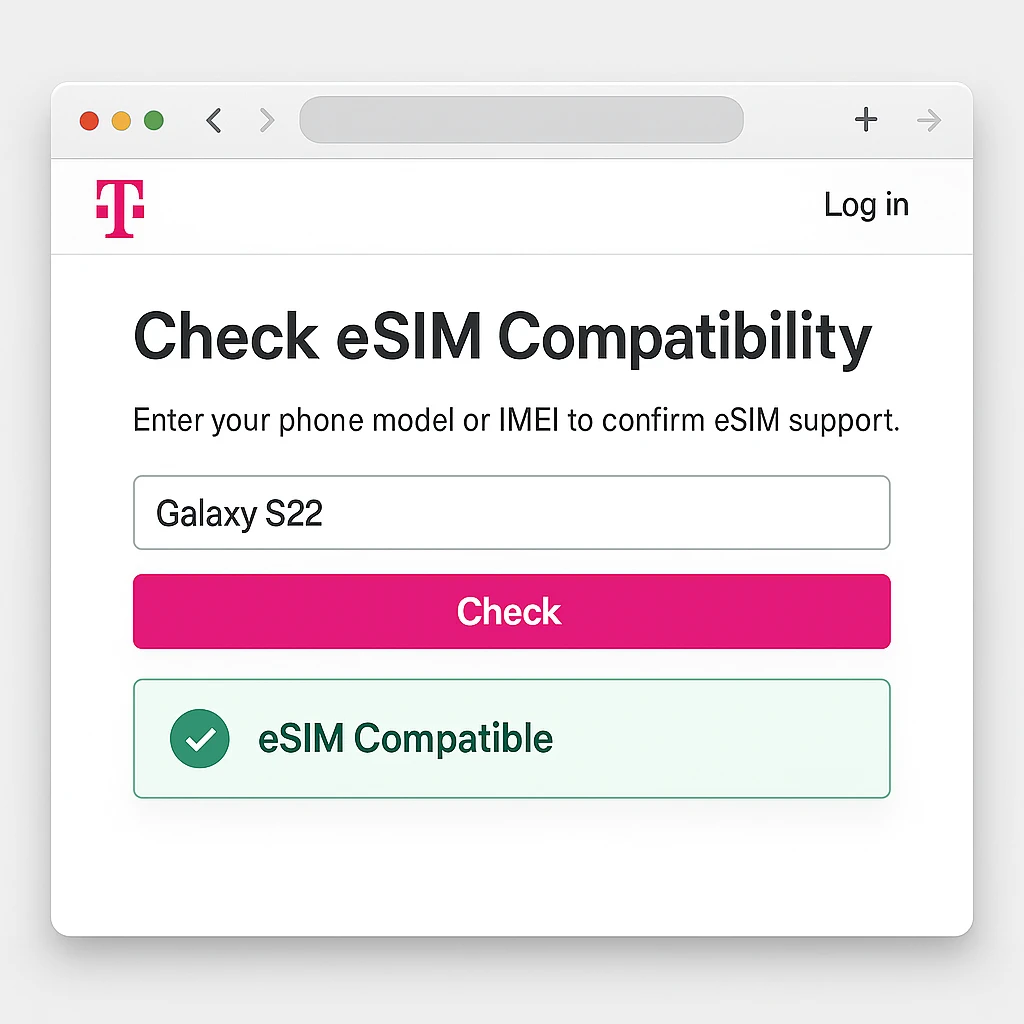
What it is: Even if your phone has eSIM hardware, actual usability can depend on your mobile carrier’s support. In this step, you verify compatibility from the network side. Start by checking your carrier’s website or help center for an eSIM device compatibility list. Many carriers maintain updated lists of phones they support for eSIM on their network. For example, Verizon offers a tool where you can input your device model or IMEI to see if it’s eSIM-compatible on their service.
People also read:
- iPhone 16 Pro Max Desert Titanium: Apple’s Stunning New Color Leaked!
- Stop Phone Data Harvesting: The Ultimate 5-Step Guide
- Free vs Paid AI Tools 2025 ,Which Ones Actually Save You Time?
Similarly, carriers in various countries (AT&T, T-Mobile, Vodafone, etc.) list supported eSIM devices. You can also contact customer support and ask “Does my plan/device support eSIM?” they can confirm if your specific phone model (especially if it’s a carrier-sold variant) is enabled for eSIM. This step is crucial if your phone was bought through a carrier, as sometimes the hardware is there but a carrier’s firmware might disable eSIM functionality (this is rare in 2025, but some budget or older carrier-locked phones had such limitations).
Why it matters:
By 2025, most major carriers worldwide have embraced eSIM, but there are still exceptions and rollout differences. In emerging markets, some carriers only introduced eSIM in the last year or two, and a few smaller carriers might lag behind. Even within regions, a phone model might support eSIM technically, but if you’re on an MVNO or a regional provider that hasn’t enabled eSIM, you won’t be able to use it yet.
This step ensures you won’t be frustrated by a carrier limitation. It’s also forward-looking: if you find your current provider doesn’t support eSIM on your phone, you might consider switching to one that does (especially if eSIM convenience is a priority for you). On the flip side, carriers often use this as a selling point some (like Verizon, T-Mobile, etc.) even have apps or diagnostics that detect eSIM compatibility automatically.
Checking with your carrier can also inform you if any additional steps are needed to activate eSIM (some require you to be on the latest software or to perform a specific activation via their app). In summary, confirming with the carrier ensures both device and network are ready for eSIM.
4. Look Up Your Phone Model on Official eSIM Compatibility Lists
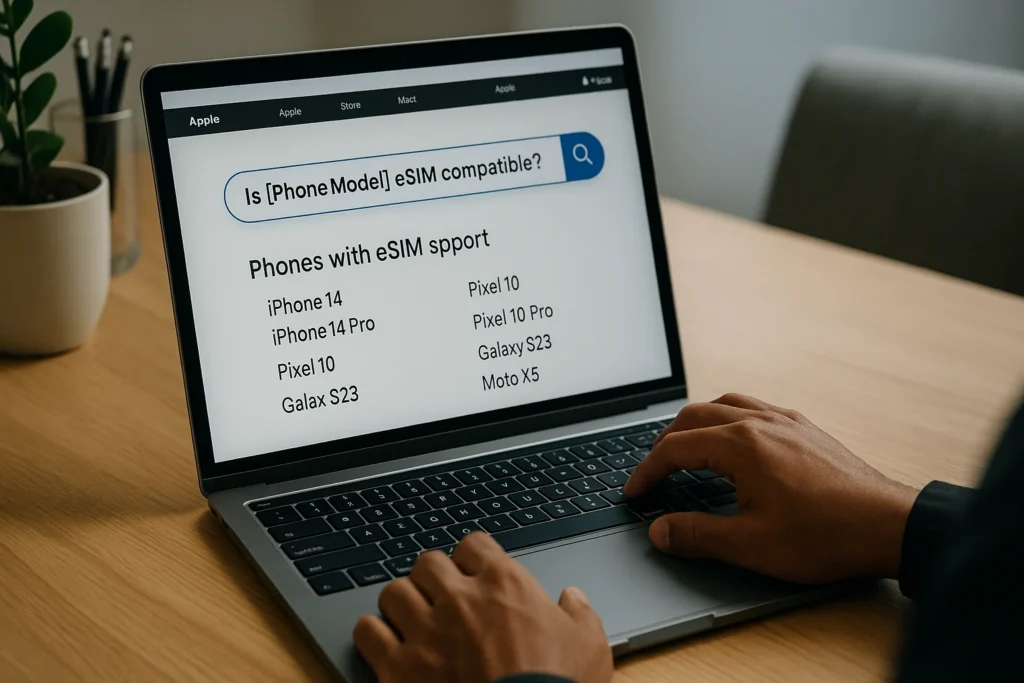
What it is: Another reliable method is to consult official device lists or spec sheets provided by manufacturers and tech resources. Phone manufacturers often publish which models have eSIM capability. For instance, Apple’s website notes that all iPhones from the XR/XS onward support eSIM (with newer ones even supporting dual eSIM). Google lists eSIM support for Pixel models from Pixel 2 upwards. You can find this info on official support pages or user manuals.
Additionally, tech websites maintain updated lists of eSIM-compatible devices a quick search like “eSIM compatible phones 2025 list” might lead you to resources on sites like Holafly or Airalo that aggregate current models by brand. Cross-reference your phone’s exact model name. Pay attention to regional variants: sometimes a phone has multiple versions (e.g., a U.S. model vs. an international model) where one has eSIM and another doesn’t. A classic example is some dual-SIM Android phones: the global version might have one physical SIM + one eSIM, whereas the same model in another region has dual physical SIMs instead. The manufacturer’s spec sheet or forums (like GSMArena or XDA) will usually clarify this.
Why it matters:
This research-oriented approach is great for thorough confirmation and for learning about your device’s capabilities. By 2025, the landscape of eSIM devices is broad: dozens of smartphone models (including mid-range ones) support eSIM. If your phone is a bit older or not a mainstream brand, looking it up ensures you don’t miss a possibly hidden feature.
It’s also useful if you don’t have the phone in hand (say you’re considering buying a phone and want to know if it’s eSIM compatible). For example, someone might search “Does the XYZ Phone 2021 support eSIM?” the official specs or a tech review can confirm that. Official lists (like Apple’s device compatibility page or Samsung’s documentation) are trustworthy sources.
They often highlight any special conditions (e.g., “eSIM available only on models with Snapdragon chipset” or “carrier must support eSIM on this device”). In 2025, as eSIM becomes a standard, many tech publications update yearly roundups of which devices support eSIM these can be handy references to quickly gauge if your device made the cut. Using these lists in tandem with the steps above gives you confidence: if both the device specs and your own device check (Steps 1 & 2) align, you’ve definitively got an eSIM-capable phone. And if you discover your phone is not on any list (and our earlier checks turned up nothing), that answer is clear too.
5. Inspect the Physical SIM Tray (eSIM-Only vs. Traditional Models)
What it is:
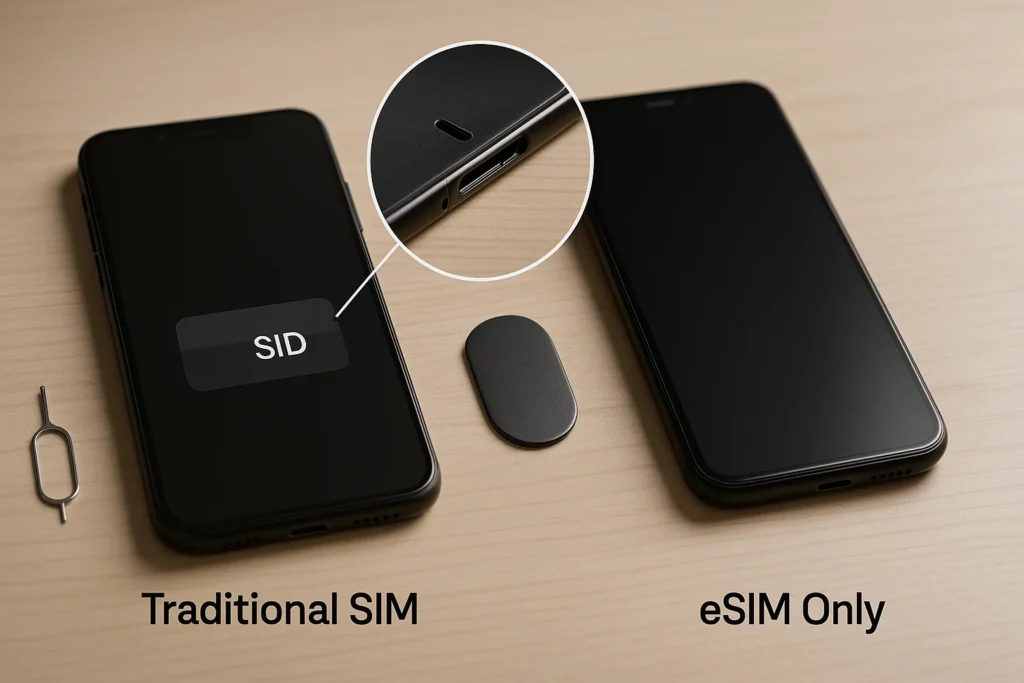
Interestingly, the hardware design of your phone can sometimes tell you about eSIM support. A few new smartphones have completely eliminated the SIM card slot, making them eSIM-only devices. If your phone literally has no SIM tray or slot to insert a physical SIM, that’s a strong sign it only uses eSIM for cellular service. For instance, Apple’s iPhone 14 in the U.S. shipped without a SIM tray, relying solely on eSIM. In 2025, Apple went even further with the iPhone Air model, which became the first to drop the SIM tray in all markets globally meaning every iPhone Air uses eSIM by default. Google’s flagship Pixel 10 also adopted an eSIM-only approach (no physical SIM slot).
If you own one of these devices, you already know it’s eSIM compatible (in fact, eSIM is your only option!). On the other hand, if your phone still has a physical SIM tray, it could still support eSIM (many do both), but some very old or budget models that only have a SIM tray likely lack eSIM. One low-tech check: see if your phone’s SIM tray has the capacity for two SIMs or mentions “eSIM” on the tray eject slot area some phones label SIM2 as eSIM in tiny text, or indicate in the manual that the second SIM is digital.
Why it matters:
This physical inspection is a quick sanity check, especially as we move toward an eSIM-centric future. Knowing the trend, if you upgrade to a 2025+ flagship phone, you might find no SIM slot a clear indicator of eSIM requirement. For users of such devices, the question of compatibility is answered by design: the manufacturer has bet on eSIM entirely. Conversely, understanding that your phone has a SIM tray doesn’t immediately answer the eSIM question (since many phones have both).
But it can provide context: if your phone model was a budget release from a few years ago and has a SIM tray, chances are it might not include the eSIM chip (as brands often cut eSIM from lower-end models to save cost historically).
However, this is changing eSIM is trickling down to mid-range phones priced around $300 in 2025. There are even third-party adapters that can add eSIM functionality via a physical slot for older phones, though those are niche. Ultimately, the presence or absence of a SIM slot complements your other findings. For instance, if none of the software methods show eSIM but you recall your phone was marketed as eSIM-capable, double-check if perhaps you have a carrier-specific variant. In summary, while not a standalone proof for most devices, the hardware can give additional clues and in some cases (like iPhone 14/Pixel 10 generation), it outright tells you the phone is built for eSIM only.
Conclusion: Next Steps After Checking eSIM Compatibility
By using the five methods above, you should now know whether your phone is eSIM compatible. If you’ve discovered that yes, your phone supports eSIM, you can confidently proceed to take advantage of it. The next step would be to set up an eSIM profile: typically this involves scanning a QR code or using an app provided by your carrier check out our guide on setting up an eSIM on your phone for a step-by-step walkthrough (for both iPhone and Android).
You’ll also want to consider the practical benefits: for instance, you can add a second line for data or travel without swapping out your primary SIM, a popular move for digital nomads and frequent flyers. (Internal tip: see our article on eSIM benefits for travelers to learn how eSIM can save you money and hassle on your next trip.)
If you found out that no, your current phone isn’t eSIM compatible, don’t fret. You can still use traditional SIM cards as you have been. However, keep in mind that the industry is moving in the eSIM direction. You might plan for a future upgrade perhaps one of the best eSIM-compatible phones of 2025 that fits your budget so you’re ready for the eventual SIM card phase-out. In the meantime, carriers will continue to support physical SIMs, but eSIM features like instant carrier switching or dual-line convenience won’t be available on your device. Lastly, always re-check compatibility if you change carriers or after major software updates.
As eSIM technology evolves, more phones might gain support via updates, and more networks will enable it. Knowing your phone’s eSIM status arms you with the information to make informed decisions about mobile plans and new gadgets in this increasingly interconnected, SIM-card-free era. Enjoy the flexibility that comes with being eSIM-ready, and happy connecting!