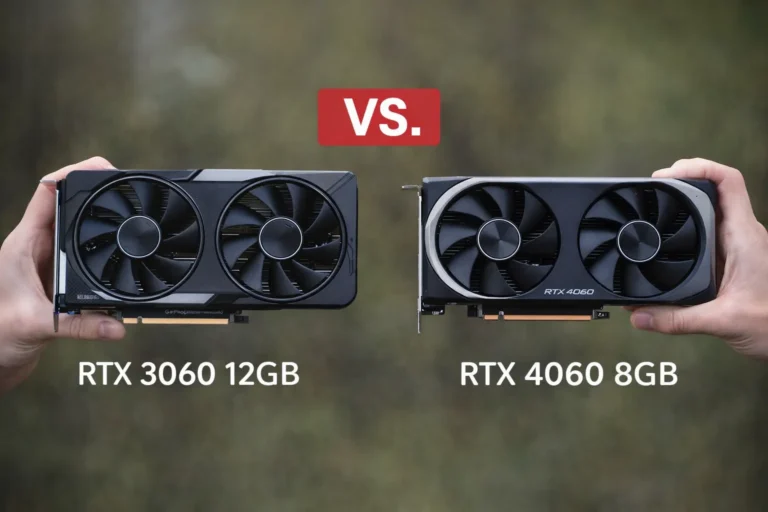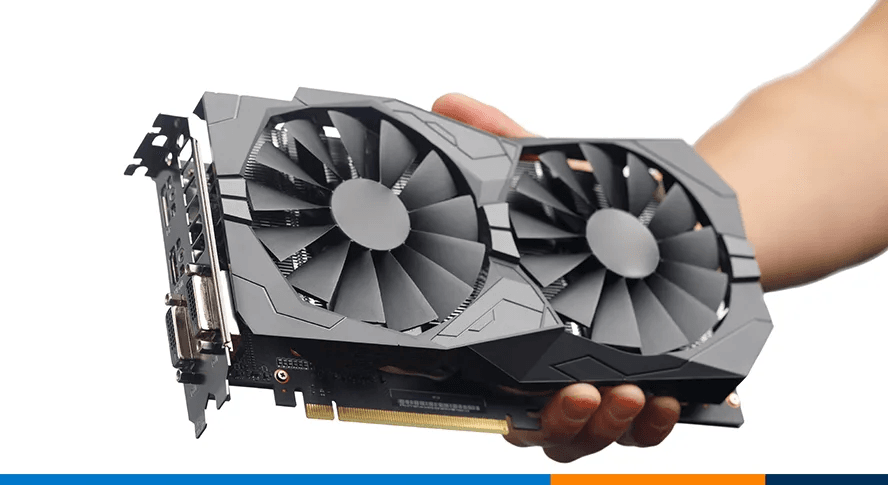
Inspecting a dual-fan used GPU before purchase — always check physical condition, fans, ports and PCIe connector.
By 2026, graphics cards are expensive and demand is driven by gaming, AI/ML, rendering and cryptocurrency recovery. Used cards can offer major savings, but the risk is that the GPU may have been mined on, overheated or tampered with. In Europe buyers benefit from strong consumer protection such as a 14‑day cooling‑off period for distance purchases and a minimum 2‑year guarantee for second‑hand goods bought from professional sellers, yet cards sold by private individuals offer no legal guarantee. Testing before you buy ensures you do not end up with an unstable or counterfeit card.
The steps below are split into pre‑purchase verification (remote), physical inspection, software stress testing and legal safeguards. The table summarises the steps longer explanations follow.
| Stage | Key actions (phrases, not full sentences) | Why this matters |
|---|---|---|
| Before buying (remote) | Confirm exact model/VRAM; request photos of front/back & PCIe edge; ask for benchmark screenshot showing temps & clocks; ask about usage history (gaming vs mining/AI); verify seller’s identity and reputation; check return policy | Prevent scams; ensures the card matches its listing and hasn’t been heavily mined; photos reveal physical damage; benchmark screenshot proves the GPU can sustain load |
| Physical inspection on arrival or in person | Look for scratches, corrosion or burnt spots; inspect connectors and ports for bent pins; spin fans by hand to check bearings; check for dust or residue; smell for burnt odour; confirm the shroud isn’t cracked; verify accessories (box, anti‑static bag, adapters) | Physical damage or burnt marks may indicate overheating or tampering; misaligned pins or missing components can cause instability; fan noise suggests worn bearings; absence of packaging suggests poor handling |
| Software & stress‑test evaluation | Install the card and confirm detection; use GPU‑Z to verify model & VRAM; run a short load test (3DMark TimeSpy, Unigine Superposition or FurMark) for 10–20 minutes; monitor temperature (keep <80 °C) and clock stability; watch for artefacts or crashes; play a familiar game for 15–20 minutes | Ensures the GPU operates under load – look for crashes, throttling or artifacts; verifying the model prevents BIOS‑modded counterfeits; monitoring temperature detects degraded cooling; real‑world gaming exposes issues not seen in synthetic tests |
| Legal & negotiation safeguards | Buy from professional sellers when possible to benefit from EU legal guarantee (minimum 2 years, at least 1 year for used goods); for distance purchases insist on a 14‑day cooling‑off period; ask for proof of purchase to check warranty transfer; avoid off‑platform payments; negotiate price based on condition | Legal rights allow refunds or repairs if faults appear; ensures you can return a defective card; price negotiation reflects condition and market value |
Pre‑purchase verification
Request proof of identity and reputation – When buying through marketplaces (eBay, Facebook, UK Hardwareswap), check seller feedback; look for >98 % positive ratings and numerous completed transactions. Avoid new accounts or sellers who refuse buyer‑protection platforms.
Confirm exact model and VRAM – Ask the seller to identify the precise GPU model (e.g. “MSI GeForce RTX 3080 10 GB Ventus 3X”), including VRAM capacity; vague descriptions (“8 GB gaming GPU”) are red flags.
Request high‑resolution photos – Ask for clear photos of the front, back, shroud and PCIe connector edge. Photos should show the serial number/QR code (blur if necessary) to verify authenticity. Look for missing screws, corrosion around the VRM area, bent fins or unusual residue.
Ask for a benchmark screenshot or video – A reputable seller should provide at least one screenshot showing the GPU under load (e.g. 3DMark TimeSpy or Unigine Superposition) with temperatures and clock speeds visible. A 20–30 second video is better because it ties the screenshot to the card. Watch for stable clocks and temperatures under ~80 °C; large fluctuations can signal thermal issues.
Ask about usage history – Determine whether the card was used for gaming, professional workloads or cryptocurrency/AI mining. Cards run at full load 24/7 (mining or AI training) may experience capacitor wear, dried thermal paste and fan degradation. Confirm whether the card has been opened or repaired – repasting is okay; board repair is not.
Check seller’s return policy & warranty – If buying from a professional EU seller, verify they honour the 14‑day cooling‑off period and legal guarantee (minimum two years, but used goods can be reduced to one year). Private sellers are not obliged to offer a cooling‑off period or guarantee. If the card is still under the original manufacturer warranty and transferable, ask for a copy of the receipt or invoice.
Physical inspection
When meeting the seller or upon delivery, perform a thorough visual inspection before installing the card:
- Surface & shroud – Check for scratches, dents, bent heatsink fins or corrosion; cosmetic damage might lower the price but serious damage can affect structural integrity. PCWorld notes that missing fan blades and poorly replaced thermal pads can cause vibration and cooling issues.
- PCB & connectors – Examine the PCB edge and PCIe gold fingers; ensure there are no burns, missing capacitors or bent pins. Inspect power connectors (8‑pin/16‑pin) for melted plastic or discoloration.
- Fan condition – Spin each fan by hand; they should turn freely without grinding. Excessive noise or resistance indicates worn bearings.
- Ports – Ensure display outputs (HDMI, DisplayPort) are intact and not rusted or bent.
- Thermal signs – Look for discoloration, burn marks or a strong burnt smell; these can indicate overheating or short circuits.
- Accessories – Confirm the card comes with original box, anti‑static bag, protective caps and any required adapters. Missing packaging may mean the card was mishandled.
People also read
3.Software & stress‑test evaluation
Once the card passes physical inspection, install it in a system with a suitable power supply (see manufacturer recommendations; e.g. Corsair notes that recommended PSU wattage adds overhead beyond CPU+GPU TDP). Follow these tests:
- Initial detection and GPU‑Z – Boot your system and install the latest drivers. Use GPU‑Z or your OS’s hardware info to verify the exact GPU model, VRAM size, BIOS version and sensor readings. Mismatched model names or unusual BIOS dates can signal a modified or counterfeit card.
- Short load test – Run a quick stress test using benchmarking software such as 3DMark TimeSpy, Unigine Superposition or FurMark. Corsair advises running FurMark for 10–20 minutes, selecting an appropriate API (OpenGL or Vulkan) and resolution (e.g. 1080p), and monitoring GPU core temperature and hot‑spot temperature. Temperatures should stabilise under 80–85 °C; if they climb uncontrollably or the card throttles quickly, cooling may be degraded.
- Monitor for artefacts & crashes – During the stress test, watch the screen for pixel “sparkles,” checkerboard patterns or flickering; these artefacts indicate memory errors or unstable GPU cores. If the system crashes or drivers reset, the GPU may be defective.
- Check clock stability – Use monitoring tools (MSI Afterburner, HWInfo64) to observe core and memory clock speeds and fan RPMs. Large fluctuations or abrupt drops may signal VRM issues or power instabilities.
- Real‑world gaming test – Play a familiar game for 15–20 minutes. Koukan’s guide suggests that real gameplay reveals stability issues that synthetic benchmarks sometimes miss. Watch for sudden frame‑rate drops, black screens or driver crashes.
- Temperature & noise – Compare the GPU temperatures to typical ranges for that model (manufacturers usually specify safe operating temperatures). Unexpectedly high temperatures or fan noise may indicate old thermal paste or clogged heatsink fins.
4. Legal protections & negotiation (EU)
Europe’s consumer protection framework can mitigate risk:
- Cooling‑off period for distance purchases – If you buy the GPU online from a professional seller, EU law grants a 14‑day right of withdrawal during which you can return the product without giving a reason. You may have to pay return postage unless the seller failed to inform you about this cost.
- Legal guarantee – Under the Consumer Sales and Guarantees Directive, goods bought from professional sellers (including second‑hand goods) carry a minimum 2‑year guarantee, though the period can be reduced to 1 year for used goods if explicitly stated. If a defect appears within one year of delivery, the burden of proof is reversed – it is assumed the defect existed at the time of purchase unless the seller proves otherwise. Goods bought from private individuals are not covered by these rules.
- Payment method & buyer protection – Use payment methods with buyer protection (PayPal Goods & Services, eBay managed payments). Avoid bank transfers or crypto. On platforms like eBay, check for return policy and do not complete the transaction off‑platform.
- Negotiation – Research market prices for the same model (check European sold listings, not just asking prices) and negotiate based on the card’s condition. A missing box or cosmetic damage justifies a discount; serious wear or absent proof should significantly lower the price or be treated as a red flag.
5. Additional considerations in 2026
- AI/ML & compute wear – The AI boom of 2024‑2025 led to heavy demand for GPUs for machine learning workloads. Cards used in AI training or data centres often run at full power for long periods, which accelerates wear on VRM components and fan bearings. Ask sellers explicitly whether the card was used for AI compute.
- Cryptocurrency resurgence – While crypto mining is less profitable, periodic price surges can lead to mining farms selling cards. Mining history is not an automatic deal‑breaker but requires you to test thermals and stability carefully.
- New connectors & PSUs – 2026 GPUs (NVIDIA 50‑series, AMD RDNA3 refresh) use the 12V‑2×6 or 16‑pin PCIe 5.1 connectors requiring high‑quality PSUs. Ensure your power supply meets the recommended wattage and has proper connectors – Corsair notes that recommended PSU wattages include additional headroom for other components.
- EU right‑to‑repair rules – The 2026 Right‑to‑Repair Directive (to be implemented by July 2026) strengthens consumers’ access to repair parts and extends the availability of firmware updates. Choosing a manufacturer with accessible parts (fans, shrouds) can make second‑hand GPUs more maintainable.
Make an informed choice
Testing a used GPU in 2026 is a four‑part process: verify the card remotely, inspect it physically, stress test it with software and rely on legal protections. By requesting photos and benchmark proof, performing a careful physical inspection, running short stress tests while monitoring temperature and leveraging EU consumer rights, you can reduce the risk of getting a bad card. Cards used for AI or mining may still be a great value if they pass these tests, but always negotiate price accordingly and be prepared to walk away from deals that lack transparency.