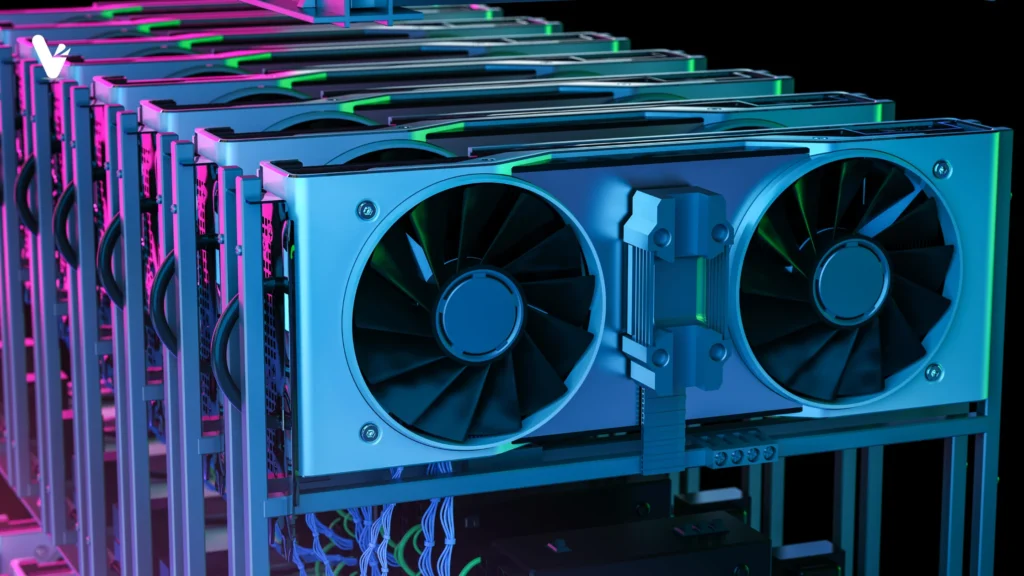
GPU mining rig – multiple graphics cards
Why GPUs matter in 2026
The graphics processing unit (GPU) is no longer just a luxury for gamers. In 2026 GPUs are central to gaming, content creation, engineering and artificial intelligence (AI) workloads. Modern AAA games render photorealistic environments at 4K and 120 fps; video editors work on 4K/8K footage with complex effects; CAD engineers use GPU‑accelerated rendering; researchers train local AI models. These tasks demand massively parallel computations that CPUs alone cannot handle efficiently. As we enter an era of ray‑traced games, AI‑generated media and distributed computing, understanding what a GPU does and how to choose one is essential whether you are upgrading a gaming PC or investing in hardware for creative work.
A graphics processing unit is a specialized processor designed to handle large numbers of mathematical operations simultaneously. While central processing units (CPUs) comprise a handful of powerful cores optimized for sequential tasks, GPUs contain hundreds or thousands of smaller cores that excel at parallel processing. Originally designed to accelerate 3D graphics, GPUs now underpin scientific simulations, cryptocurrency mining, machine learning and real‑time video processing.
What is GPU
Plain‑language definition
Imagine a CPU as a skilled artisan who can make a handcrafted chair perfectly but only one at a time. A GPU is an assembly line with thousands of workers making many chairs simultaneously. It excels at tasks where the same computation must be applied to many data elements, such as calculating the color of millions of pixels, simulating physics across many particles or running deep‑learning matrix multiplications.
GPU vs. CPU
Mental model: few powerful cores vs. many smaller cores
A CPU typically contains 4 – 32 powerful general‑purpose cores optimized for low‑latency, sequential execution. It excels at tasks that require complex decision making, branch prediction and single‑thread performance (e.g., running an operating system, controlling I/O, executing game logic).
Synergy: Modern computer systems offload highly How a GPU works
A GPU renders a 3D scene by executing a pipeline of programmable and fixed‑function stages:
- Vertex processing: transforms 3D vertices from model space to screen space using matrix multiplications (the CPU sends matrices; the GPU executes them in parallel).
- Rasterization: converts triangles into pixels (fragments). Dedicated fixed‑function units perform this.
- Fragment shading: programmable shader cores compute color, lighting and textures for each pixel. Tens of thousands of threads run concurrently.
- Blending and output: the GPU writes computed pixels to the frame buffer, optionally performing multisampling or HDR tonemapping.
For compute workloads, GPUs use CUDA cores (NVIDIA) or stream processors (AMD) to execute general‑purpose kernels. Tensor cores and matrix engines accelerate AI workloads; ray‑tracing cores accelerate real‑time ray tracing by performing bounding volume hierarchy (BVH) traversal and ray‑triangle intersection tests.
Key specs that matter
When comparing GPUs, pay attention to these specifications:
Ports: DisplayPort 1.4/2.1 or HDMI 2.1 determine supported resolutions and refresh rates. to the GPU while the CPU handles sequential logic, scheduling, I/O and operating system tasks. This division of labour yields better performance and energy efficiency. Integrated processors combine CPU and GPU cores on the same chip, sharing caches and memory; they are efficient for ultrabooks and smartphones
VRAM (Video RAM): dedicated memory used to store textures, frame buffers, vertex data and ray‑tracing acceleration structures. More VRAM allows the GPU to handle larger textures and higher resolutions without swapping to system memory.
Memory bandwidth: rate at which data moves between VRAM and GPU cores. High bandwidth (e.g., GDDR6X at ~21 Gb/s) is critical for feeding data to thousands of cores.
Shader/Tensor/RT cores: count and architecture. More cores generally yield greater performance but architecture efficiency matters.
Boost clock: maximum frequency the cores can reach under load.
Power draw (TDP): determines heat output and PSU requirements. High‑end GPUs draw 350 – 450 W.
Cooling: number of fans, vapor chamber vs. heatsinks. Adequate cooling affects boost performance and noise.
Ports: DisplayPort 1.4/2.1 or HDMI 2.1 determine supported resolutions and refresh rates.
VRAM explained
VRAM is dedicated memory that stores everything needed to render a frame: textures, shadow maps, G‑buffers for deferred shading, lighting data and ray‑tracing acceleration structures. It also holds 3D models, CPU‑GPU communication buffers and some compute data. Insufficient VRAM causes stuttering, texture pop‑ins, frame drops or game crashes because the GPU must swap data to slower system memory.
How much VRAM is enough in 2026?
The answer depends on your resolution and workload. A 2025 gaming hardware guide notes that:
- 8 GB VRAM can suffice for 1080p gaming, but some modern titles at high settings exceed 8 GB, leading to texture downgrades and stutters.
- 10 – 12 GB is the recommended minimum for 1440p; games such as Cyberpunk 2077 can use 11 – 12 GB at 1440p.
- 12 – 16 GB provides a cushion for high‑settings 1440p or entry‑level 4K; newer titles increasingly use 14 – 16 GB.
- 24 GB is advantageous for creators working with large textures or models and for AI workloads.
The article stresses that an 8 GB card may achieve playable frame rates but will downscale textures or cause stutters, whereas a card with 12 – 16 GB VRAM offers smooth performance and higher fidelity.
VRAM vs. system RAM
Integrated GPUs share the system’s DDR4/DDR5 memory with the CPU, limiting bandwidth and capacity. Discrete GPUs have their own VRAM (GDDR6/GDDR6X or HBM), enabling higher bandwidth and larger capacity. VRAM is more expensive than system RAM because it is highly optimized for parallel access patterns.
GPU for gaming
Gaming workloads stress the GPU more than the CPU, especially at high resolutions and with ray tracing enabled. When choosing a gaming GPU, consider:
- Resolution and refresh rate: 1080p at 60 fps can be satisfied by mid‑range GPUs with 8 – 10 GB VRAM. 1440p at 120 fps benefits from 12 – 16 GB VRAM and a GPU capable of sustaining high frame rates. 4K gaming requires high‑end GPUs (e.g., NVIDIA RTX 4080/4090 or AMD RX 7900 XTX) with 16 – 24 GB VRAM and high bandwidth.
- Ray tracing: enabling ray‑traced lighting and shadows significantly increases GPU workload. Look for GPUs with dedicated ray‑tracing cores. NVIDIA’s RTX 40‑series and AMD’s RDNA 3 GPUs offer improved ray‑tracing performance.
- DLSS / FSR / XeSS: image reconstruction techniques such as DLSS 3, FSR 3 and XeSS allow you to render at a lower resolution and upscale to target resolution, improving performance with minor quality loss.
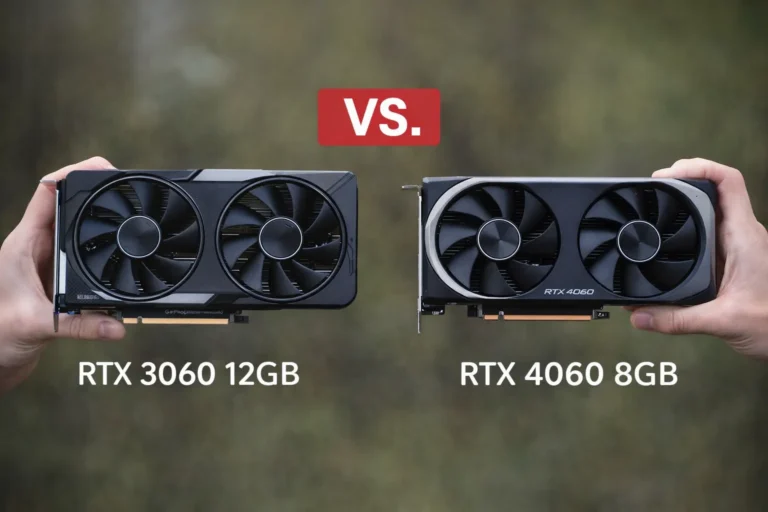
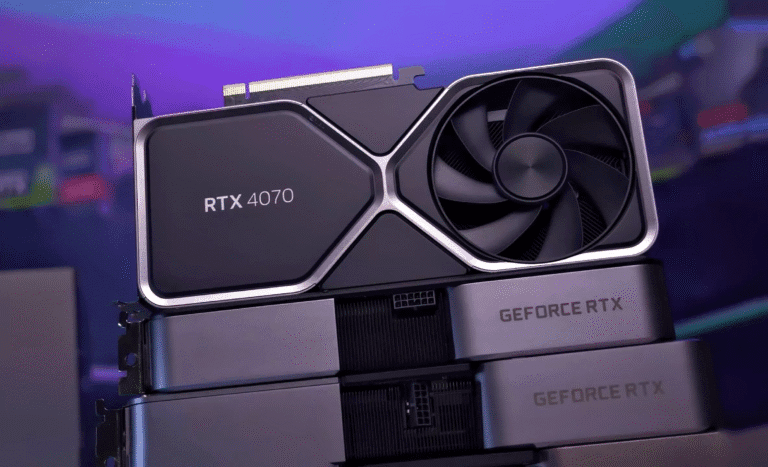
A gaming PC in 2026 benefits from a balanced system: a modern CPU with at least 6 – 8 cores, 16 GB system RAM, and a GPU appropriate for the target resolution. For 1080p e‑sports titles, cards like NVIDIA RTX 4060 or AMD RX 7600 are adequate. For 1440p high refresh or 4K gaming, RTX 4070 Ti, RX 7800 XT or higher are preferable.
GPU for creators
Content creators—video editors, 3D artists, photographers—value VRAM and compute performance. Rendering high‑resolution footage or complex scenes in Blender, Premiere Pro or DaVinci Resolve requires large textures, multiple render passes and deep color buffers. The RTX 3090 and 4090 with 24 GB VRAM remain attractive due to their large memory pool and CUDA/Tensor cores; AMD’s Radeon Pro cards are also used for color‑critical work.
When evaluating a GPU for creative work:
- VRAM capacity: 12 GB is the bare minimum for 4K editing; 24 GB provides headroom for 8K or multi‑stream timelines.
- CUDA/Tensor cores vs. OpenCL: many creative suites (Adobe, Resolve) optimize acceleration for NVIDIA CUDA and Tensor cores; AMD cards perform well in some tasks but may lack certain AI effects or hardware encoders.
- Encoding/decoding: NVIDIA’s NVENC and AMD’s VCE/VCD accelerate H.264/H.265 encoding. The latest RTX 40‑series and Radeon 7000 series support AV1 encoding, which yields higher quality at lower bitrates.
- Driver stability and software support: professional drivers (e.g., NVIDIA Studio drivers) emphasize stability and validated application support.
GPU for AI
AI workloads—training and inferencing deep neural networks thrive on GPUs due to their massive parallelism and dedicated tensor cores. Key considerations:
- VRAM capacity: large language models require large VRAM; 16 – 24 GB is necessary for mid‑sized models, while 48 GB HBM on enterprise GPUs serves larger workloads.
- Tensor cores / FP16 / BF16 support: NVIDIA GPUs offer Tensor cores that accelerate mixed‑precision matrix multiplications; AMD’s CDNA and RDNA 3 architectures also support matrix cores.
- Developer ecosystem: CUDA, cuDNN and TensorRT remain widely supported for training/inference. AMD’s ROCm has improved but some AI frameworks still favor CUDA.
- Power draw and cooling: AI training runs at 100 % GPU utilization for prolonged periods; ensure adequate cooling and power budget.
For local AI experiments (e.g., running Stable Diffusion), 12 GB VRAM is workable but 16 GB or more yields smoother generation and larger batch sizes. Enthusiasts often repurpose older data‑center GPUs like NVIDIA A6000 or consumer RTX 3090 for AI due to their high VRAM.
How to choose a GPU
Here is a simplified decision tree:
- Define your primary use‑case. Gaming at 1080p? 4K? Video editing? AI research? Identifying the main workload guides VRAM and performance requirements.
- Set a budget. GPUs range from entry‑level ($250) to flagship models ($2,000+). Spending more yields diminishing returns; allocate budget for CPU, motherboard, PSU and monitor.
- Check VRAM. Use the VRAM guidelines above. Avoid 8 GB cards for 1440p and beyond; aim for 12 GB or more.
- Consider platform and features. Do you need NVIDIA’s DLSS or CUDA? Are you comfortable with AMD’s drivers? Do you require specific video ports? Compatibility with your monitor (DisplayPort 1.4/2.1 vs. HDMI 2.1) matters for high refresh 4K.
- Evaluate power and cooling. Ensure your power supply and case airflow can handle the GPU’s TDP. Some high‑end GPUs exceed 350 W and require PCIe 5.0 power connectors.
- Check availability and price history. Use price‑tracking websites to avoid overpaying during stock shortages.
Common GPU myths
- “More VRAM always means faster.” Not exactly VRAM capacity impacts how much data a GPU can hold, but performance depends on bandwidth, core count and architecture. A 12 GB mid‑range card can outperform a 16 GB low‑end card.
- “Used GPUs from mining are worthless.” Mining does stress GPUs, but well‑maintained cards can function for years. Inspect and test rather than dismiss all ex‑mining cards.
- “CPUs no longer matter for gaming.” Modern games still rely on the CPU for AI, physics and logic; a slow CPU can bottleneck even the fastest GPU.
- “Integrated graphics are useless.” Integrated GPUs suffice for everyday tasks and entry‑level gaming. They are ideal for thin laptops and NUCs.
- “DLSS and FSR are cheating.” Image reconstruction technologies allow higher frame rates by upscaling from lower resolutions; they can look extremely close to native resolution and are widely accepted.
- “Ray tracing is a gimmick.” Real‑time ray tracing improves lighting realism and is becoming standard in major games; dedicated RT cores ensure performance remains playable.
- “More fans always equal better cooling.” Fan design and heatsink quality matter more than quantity. A dual‑fan card with a vapor chamber can outperform a triple‑fan card with poor heatpipes.
Conclusion: the future of GPUs (2026–2027)
GPUs will continue to evolve rapidly. NVIDIA’s RTX 50‑series and AMD’s RDNA 4 are expected to deliver higher efficiency, improved ray‑tracing and AI acceleration. Intel’s Battlemage GPUs aim to challenge mid‑range markets. We will also see increased adoption of chiplet designs, new memory technologies like GDDR7 and HBM3, and improved power efficiency through refined process nodes (e.g., TSMC 3 nm). On the software side, upscaling technologies will mature (DLSS 4, FSR 3.5), and real‑time path tracing will slowly become mainstream.
4 thoughts on “What Is a GPU? 2026 Guide to GPUs, VRAM & Choosing”